






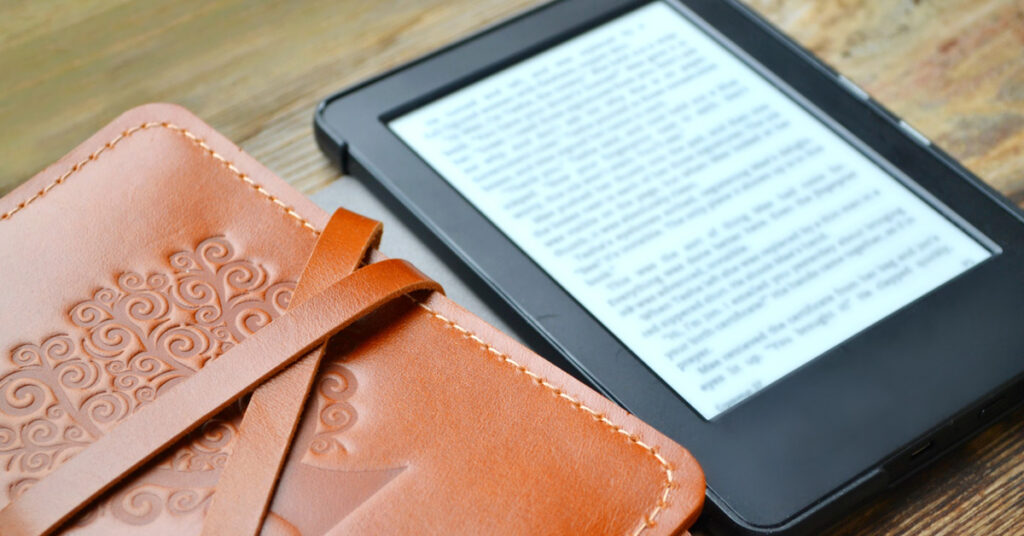
I wrote at length a few months ago about my decision to leave the Kindle ecosystem and move to Kobo in Switching To Kobo Libra Colour From Kindle. Part of this choice was driven by changes Amazon has been making related to Kindle.
Well, things in the Kindle world have accelerated since then and will change dramatically in the next week. If you have purchased Kindle ebooks, you need to read this post so you can make an informed decision.
In short, Kindle is removing the ability to download your purchased ebooks to your computer on February 26. Here is what pops up when you download a book right now. (Please note that Amazon has NOT informed any of their customers about this.)
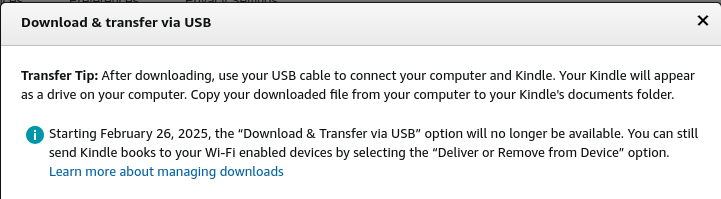
You might think that is no big deal. You have a Kindle and have no interest in changing. That may be true at this point. But what if that changes in the future? If you download them now, you give yourself options. If you don’t, you will have no options other than stay in the Kindle ecosystem or give up access to all of the books you paid for when you move to something else. Even if you never buy another ereader, if you download them you will have the ability to read them on your computer.
In the interest of time, I am sharing a few videos. I’ll give a brief description of each one. Please note that you must download each ebook individually. There is no way to do them all at once. It takes some time. Once you get into the rhythm, it’s very quick and easy to download each book. But you still have to do every one of the hundreds or thousands of books that you have purchased through Amazon.
One positive is that it forced me to delete a bunch of Kindle ebooks. If I didn’t care enough about them to take the time to download them, then they weren’t worth my time. So I’ve done some decluttering in the process. I started with over 550 Kindle books and many of them were free. In fact, the vast majority were probably free or 99 cents when I purchased them. I refuse to pay a lot for ebooks.
There were a couple of the videos I originally watched that made me think seriously about changing to Kobo. (I watched several but these two stood out to me.) Here is one.
And here is the other.
Here are a couple of videos about the newest development. This was the first one I saw.
And then this is a follow-up to his video above.
This is the video I used to guide the process of downloading my books to Calibre. (I explained Calibre in my previous post I linked to in the first paragraph.) You can do this even if you don’t have a Kobo or another ereader. He explains the process of downloading and saving your Kindle books to your computer.
Saving them gives you options in the future. Not downloading them eliminates your options moving forward.
This worked very well for me except for the last step of transferring. For some reason I could not do it the way he did it on the screen. But God providentially showed me a super easy way to do it (drag and drop from file folders) because I was stuck. If you follow this video and get stuck on the last bit, leave a comment and I’ll explain how I did it. It is very easy.
So that’s the Kindle story. I normally don’t ask this, but please share this post. There are so many Kindle users who have no idea this is happening. The only way they will find out is by word of mouth.

 My 20th Blogging Anniversary – A Visual Retrospective
Leave a Reply